
AI & LLMs
Integrate AI functionality to Fumadocs.
Docs for LLM
Serve your docs as Markdown for LLMs and AI agents:
npx @fumadocs/cli feature llmsIt enables processed Markdown on your docs collection, adds docsLlms to lib/source.ts, and creates the routes below. The generated files are listed here if you prefer a manual setup.
docsLlms
llms() renders your docs for LLMs. renderPage turns one page into Markdown, from the processed document rather than the raw file content:
import { llms } from 'fumadocs-core/source';

export const docsLlms = llms(source, {
  renderPage: async (page) => `# ${page.data.title} (${page.url})

${await page.data.getText('processed')}`,
});
| Method | Output |
|---|---|
index(lang?) | the llms.txt index, built from the page tree |
page(page) | one page, rendered with renderPage |
full(lang?) | every page rendered with renderPage, joined |
renderPage is required
page() and full() are only available when you pass renderPage, since Fumadocs cannot know
how your content source exposes its Markdown.
Runtime content sources like @fumadocs/local-md resolve on demand. Pass their getSource and the CLI generates the same routes:
export const docsLlms = llms(getSource, {
  renderPage: (page) => `# ${page.data.title} (${page.url})

${page.data.content}`,
});
With getSource, index() and indexNode() return a promise instead of a string.
It requires includeProcessedMarkdown:
import { defineDocs } from 'fumadocs-mdx/config';

export const docs = defineDocs({
  dir: 'content/docs',
  docs: {
    postprocess: {
      includeProcessedMarkdown: true,
    },
  },
});
MDX components appear as JSX syntax by default, you can render them into meaningful Markdown with the output option.
llms.txt
An index of all pages, generated from the page tree.
import { docsLlms } from '@/lib/source';

export const revalidate = false;

export async function GET() {
  return new Response(await docsLlms.index());
}
llms-full.txt
The content of all pages in a single file.
import { docsLlms } from '@/lib/source';

export const revalidate = false;

export async function GET() {
  return new Response(await docsLlms.full());
}
*.md
The Markdown of a single page, for AI agents.
import { createGetUrl } from 'fumadocs-core/source';

export const docsContentRoute = '/llms.mdx/docs';

const getContentUrl = createGetUrl(docsContentRoute);

export function getPageMarkdownUrl(page: { slugs: string[]; locale?: string }) {
  const segments = [...page.slugs, 'content.md'];

  return { segments, url: getContentUrl(segments, page.locale) };
}
import { docsLlms, source } from '@/lib/source';
import { notFound } from 'next/navigation';

export const revalidate = false;

export async function GET(_req: Request, { params }: RouteContext<'/llms.mdx/docs/[[...slug]]'>) {
  const { slug } = await params;
  // remove the appended "content.md", `/docs/index.md` is rewritten to the root page
  const slugs = slug?.slice(0, -1) ?? [];
  if (slugs.at(-1) === 'index') slugs.pop();
  const page = source.getPage(slugs);
  if (!page) notFound();

  return new Response(await docsLlms.page(page), {
    headers: {
      'Content-Type': 'text/markdown',
    },
  });
}

export function generateStaticParams() {
  return source.generateParams().map((item) => ({
    ...item,
    slug: [...item.slug, 'content.md'],
  }));
}
import type { NextConfig } from 'next';

const config: NextConfig = {
  reactStrictMode: true,
  async rewrites() {
    return [
      {
        source: '/docs/:slug*.md',
        destination: '/llms.mdx/docs/:slug*/content.md',
      },
    ];
  },
};

export default config;
Accept
To serve the Markdown content instead for AI agents, you can leverage the Accept header.
import { NextRequest, NextResponse } from 'next/server';
import { isMarkdownPreferred, rewritePath } from 'fumadocs-core/negotiation';

const { rewrite: rewriteLLM } = rewritePath('/docs{/*path}', '/llms.mdx/docs{/*path}');

export default function proxy(request: NextRequest) {
  if (isMarkdownPreferred(request)) {
    const result = rewriteLLM(request.nextUrl.pathname);

    if (result) {
      return NextResponse.rewrite(new URL(result, request.nextUrl), {
        headers: { Vary: 'Accept' },
      });
    }
  }

  return NextResponse.next();
}
Because the same URL now has two representations, the response needs Vary: Accept to prevent cache collisions.
Next.js
Next.js discards Vary on App Router page responses, so the HTML side of the branch above
can't carry the header from inside the app. Set it at your CDN if you serve documentation through
a shared cache.
Page Actions
Common page actions for AI, require *.md to be implemented first.
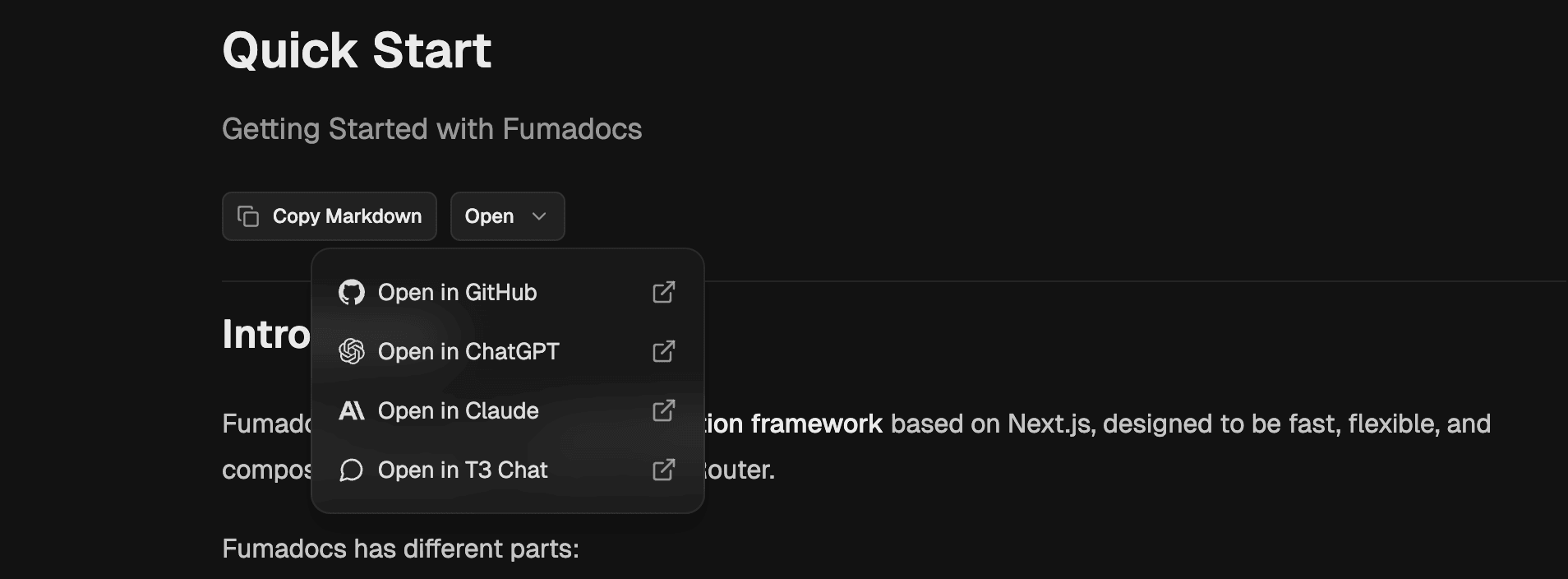
Use them in your docs page like:
import { MarkdownCopyButton, ViewOptionsPopover } from 'fumadocs-ui/layouts/docs/page';
import { getPageMarkdownUrl } from '@/lib/shared';

const markdownUrl = getPageMarkdownUrl(page).url;

<div className="flex flex-row gap-2 items-center border-b pt-2 pb-6">
  <MarkdownCopyButton markdownUrl={markdownUrl} />
  <ViewOptionsPopover
    markdownUrl={markdownUrl}
    githubUrl={`https://github.com/${owner}/${repo}/blob/main/content/docs/${page.path}`}
  />
</div>;
MCP Server
Expose your docs to AI agents through a MCP server, with tools to list, search and read pages.
npx @fumadocs/cli feature mcpIt creates a /api/mcp route with the streamable HTTP transport, on top of the LLM routes above. On Astro, it requires output: 'server'.
The tools come from fumadocs-core/mcp, see linked docs for details.
import { createMcpHandler, McpServer } from '@modelcontextprotocol/server';
import { registerSearchTool, registerSourceTools } from 'fumadocs-core/mcp';
import { createFromSource } from 'fumadocs-core/search/server';
import { docsLlms, source } from '@/lib/source';

const handler = createMcpHandler(() => {
  const mcp = new McpServer({
    name: 'docs',
    version: '1.0.0',
  });

  registerSourceTools(mcp, source, docsLlms);
  registerSearchTool(mcp, createFromSource(source));

  return mcp;
});

export async function GET(request: Request) {
  return handler.fetch(request);
}

export async function POST(request: Request) {
  return handler.fetch(request);
}

export async function DELETE(request: Request) {
  return handler.fetch(request);
}
Connect an agent to it with:
{
  "mcpServers": {
    "docs": { "url": "https://your-site.com/api/mcp" }
  }
}
WebMCP
Experimental
WebMCP is an early web standard, available in
Chrome 149+ behind the #enable-webmcp-testing flag and an origin trial. The API may still
change.
Where the MCP server above serves agents connecting to your site, WebMCP exposes tools to the AI agent of the browser, on the page the reader is viewing.
npx @fumadocs/cli feature webmcpIt creates a WebMCP component on top of the LLM routes, you can render it inside <RootProvider />.
search_docsqueries the search API route, you can use other clients thanfetchClient.read_pagefetches the Markdown of a page,/docs/page.mdon TanStack Start.
Ask AI
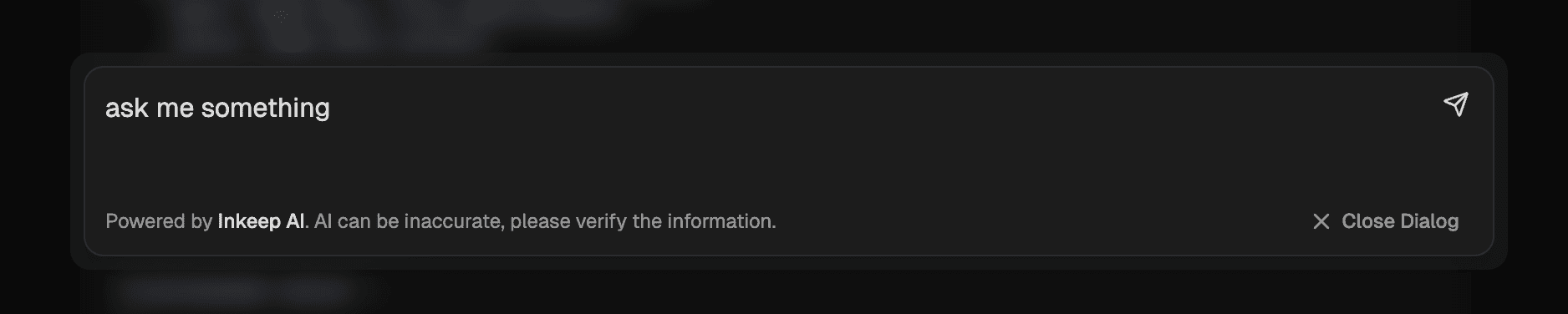
You can install the AI chat dialog using Fumadocs CLI.
npx @fumadocs/cli add ai/openrouterIt's automatically configured for OpenRouter using Vercel AI SDK, with a /search tool for AI.
You can use other models by updating the /api/chat route.
Fumadocs doesn't provide the AI model, it's up to you.
Your AI model can use the llms-full.txt file generated above, or more diversified sources of information when combined with 3rd party solutions.
Docs layouts render the chat from their aiChat option, as it takes client state, create a client component for your layout, and use it in place of the original one:
'use client';
// or `fumadocs-ui/layouts/notebook`
import { DocsLayout as Layout, type DocsLayoutProps } from 'fumadocs-ui/layouts/docs';
// the installed components
import { AIChat, AIChatPanel, AIChatTrigger, useAIChat } from './search';

export function DocsLayout(props: DocsLayoutProps) {
  return (
    <AIChat>
      <ChatLayout {...props} />
      <AIChatTrigger />
    </AIChat>
  );
}

function ChatLayout(props: DocsLayoutProps) {
  const { open, setOpen } = useAIChat();

  return <Layout {...props} aiChat={{ open, onOpenChange: setOpen, panel: <AIChatPanel /> }} />;
}import { DocsLayout } from 'fumadocs-ui/layouts/docs';
import { DocsLayout } from '@/components/ai/layout'; As the layout options are passed through a client component, they have to be serializable.
How is this guide?
Last updated on
 General Translation
 Ferry Health
 assistant-ui
 Inkeep